
API usage quotas are hard limits on how many API calls your application can make within a defined time window. They exist for two reasons: protecting the provider's infrastructure from abuse and denial-of-service attacks, and guaranteeing fair, predictable access across all consumers. Exceed the limit and you get an HTTP 429 Too Many Requests response. Common quota metrics include:
- Requests per minute (RPM): the call rate ceiling within any 60-second window
- Tokens per minute (TPM): critical for AI APIs where token volume drives cost
- Daily or weekly caps: aggregate limits that reset on a fixed schedule
- Per-endpoint limits: tighter ceilings on specific, expensive operations
Quotas shape your application design from day one. If your architecture ignores them, your users will eventually feel the consequences through failed requests, degraded UX, or surprise bills.
What real API usage quotas look like from US providers
Concrete numbers make quota planning possible. Here are enforced limits from authoritative US sources.
USPTO imposes a weekly call quota of 1.2 million API calls, with resets tied to that weekly interval. That sounds generous until you're running batch patent lookups at scale and hit the ceiling on a Thursday.

Azure OpenAI scopes quotas at the subscription level, per region, per model. The table below shows a sample of their published limits for Standard and GlobalStandard deployment types:

| Model | Deployment Type | RPM | TPM |
|---|---|---|---|
| gpt-4 | GlobalStandard | — | —,000 |
| gpt-4-mini | GlobalStandard | — | —,000 |
| gpt-4o-mini | GlobalStandard | — | — |
| — | GlobalStandard | — | —,000 |
| —-mini | GlobalStandard | — | —,000 |
Quota types vary across providers:
- Per-user quotas: partitioned by authenticated identity or
quotaUserparameter - Per-endpoint quotas: tighter limits on expensive operations like image generation
- Global subscription caps: aggregate ceilings across all deployments in a tenant
- Usage tier thresholds: Azure's tiered model automatically upgrades quotas as consumption grows, though that auto-scaling can trigger unplanned billing spikes
Always read the official documentation for the specific model and region you deploy to. Limits published for one region often differ from another.
How quota resets and enforcement actually work
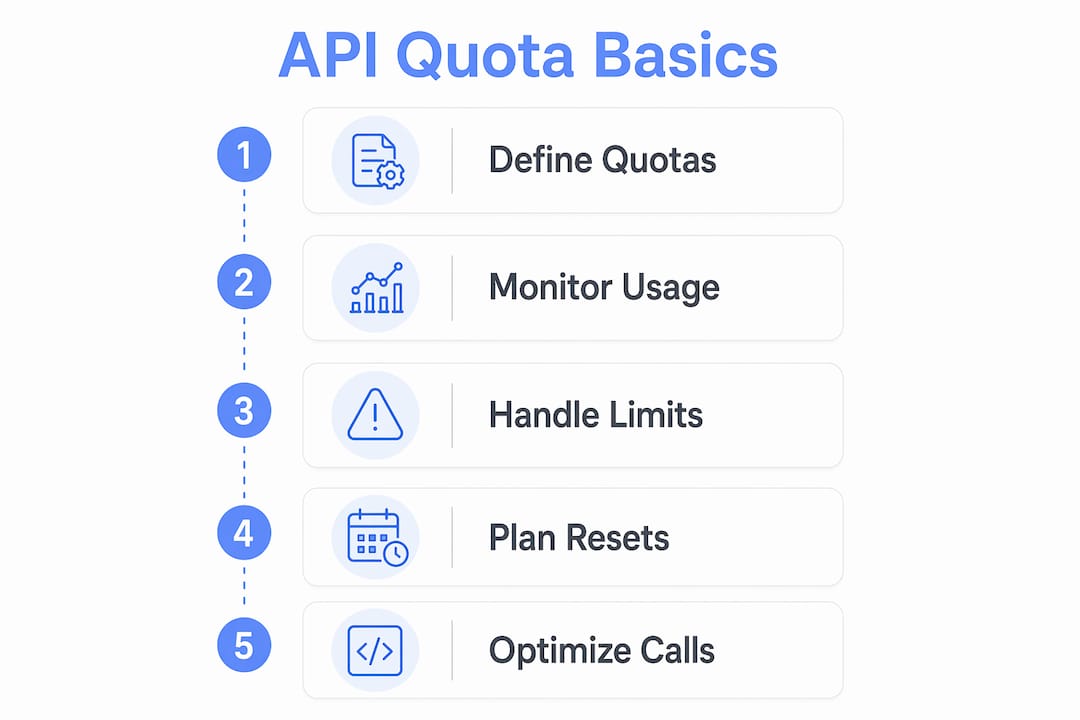
Rate limits reset on either a rolling window or a fixed-interval schedule. Google Gemini resets daily limits at midnight Pacific time. Azure OpenAI tracks TPM on a per-minute rolling basis. Knowing which model your provider uses changes how you design retry logic.
When you exceed a limit, the provider returns HTTP 429 with a Retry-After header indicating how many seconds to wait. The correct response is exponential backoff with jitter, not an immediate retry loop. A naive retry storm after a quota reset is the thundering herd problem in practice: every client retries simultaneously, hammers the endpoint again, and triggers another 429 wave.
A minimal detection pattern in Node.js looks like this:
async function callWithBackoff(fn, retries = 4) {
  for (let i = 0; i < retries; i++) {
    try {
      return await fn();
    } catch (err) {
      if (err.status !== 429) throw err;
      const delay = Math.pow(2, i) * 100 + Math.random() * 50;
      await new Promise(r => setTimeout(r, delay));
    }
  }
  throw new Error("Quota exhausted after retries");
}
The jitter (Math.random() * 50) spreads retries across time so clients don't re-collide.
Pro Tip: Distinguish soft limits from hard limits in your error handling. A soft limit triggers a warning or a degraded response; a hard limit blocks the request entirely. Log both differently so your alerting doesn't treat a warning as an outage.
Best practices for managing and monitoring your quota budget
The most critical practice is implementing a local budget cap inside your application logic, separate from whatever the provider enforces. Provider limits protect the provider. Your internal cap protects your users and your wallet.
- Per-user rate limiting: route all API calls through a backend that tracks usage per authenticated session. Without this, one noisy user can exhaust the shared quota and block everyone else.
- Usage alerts: set threshold alerts at 70% and 90% of your quota window. Waiting for a 429 to learn you're over budget is too late.
- Request batching: combine multiple small payloads into a single API call where the provider supports it. Fewer round trips means slower quota burn.
- Response caching: cache deterministic responses with a short TTL. Identical prompts hitting the same endpoint don't need a fresh upstream call every time.
- Pre-document peak usage: enterprise workloads require manual quota increase requests because automated tier upgrades don't always keep pace with traffic spikes. File the increase request before your launch, not after your first production 429.
Automatic tier upgrades can silently push you into a higher billing tier. A circuit breaker that tracks local spend against a monthly budget ceiling catches this before your invoice does.
Pro Tip: API providers rarely expose real-time remaining quota in a single unified header. Combine the x-ratelimit-remaining headers from each endpoint with your own server-side counters for an accurate picture of cumulative consumption.
Advanced tooling to manage AI usage quotas in production
Building quota management from scratch is where most AI SaaS projects bleed time. The infrastructure is predictable but tedious: metering per user, enforcing hard caps, surfacing usage data, wiring billing to consumption. Getting any one piece wrong bites you in production.
Shipwrightkit ships this infrastructure pre-built for Next.js developers building on Claude. Key capabilities relevant to quota management:
- Hard-capped free tier: the free tier cannot exceed its budget ceiling, so it can never eat into your API allocation
- Per-request cost tracking: every upstream call is metered to fractions of a cent, per customer, visible in real time
- Streaming abort on disconnect: the streaming route stops billing the moment a user closes the tab, eliminating the cost overruns from orphaned streams
- Usage metering and subscription billing: tiered plans with configurable limits, so you can partition quota by subscription level rather than managing it manually
- Burst control: prevents a single session from consuming a disproportionate share of your monthly token budget
Pro Tip: Run the Shipwrightkit live demo before you build. It shows the exact token cost of every request as you chat, which makes quota budgeting concrete rather than theoretical.
The alternative is assembling these pieces yourself: a metering layer, a billing integration, a spend circuit breaker, and a streaming abort handler. Each one is solvable, but together they represent weeks of infrastructure work before you write a single line of product code.
Key Takeaways
Quota management is an infrastructure problem, not an afterthought. Build internal caps and per-user partitioning before your first production deployment.
| Point | Details |
|---|---|
| USPTO weekly cap | USPTO enforces a weekly API call limit of 1.2 million calls; plan batch workloads considering this reset cycle. |
| HTTP 429 handling | Always implement exponential backoff with jitter to avoid thundering herd collisions after a quota reset. |
| Per-user partitioning | Route calls through a backend with per-session limits; one noisy user can exhaust a shared quota for all users. |
| Local budget cap | Implement a spend circuit breaker in your app logic; provider auto-scaling can trigger billing spikes before you notice. |
| Pre-built tooling | Shipwrightkit ships hard-capped billing, per-request cost tracking, and streaming abort handling for Next.js AI SaaS. |